Events
A child talks to its parent by dispatching a CustomEvent. The parent listens with an on-prefixed handler in its template.
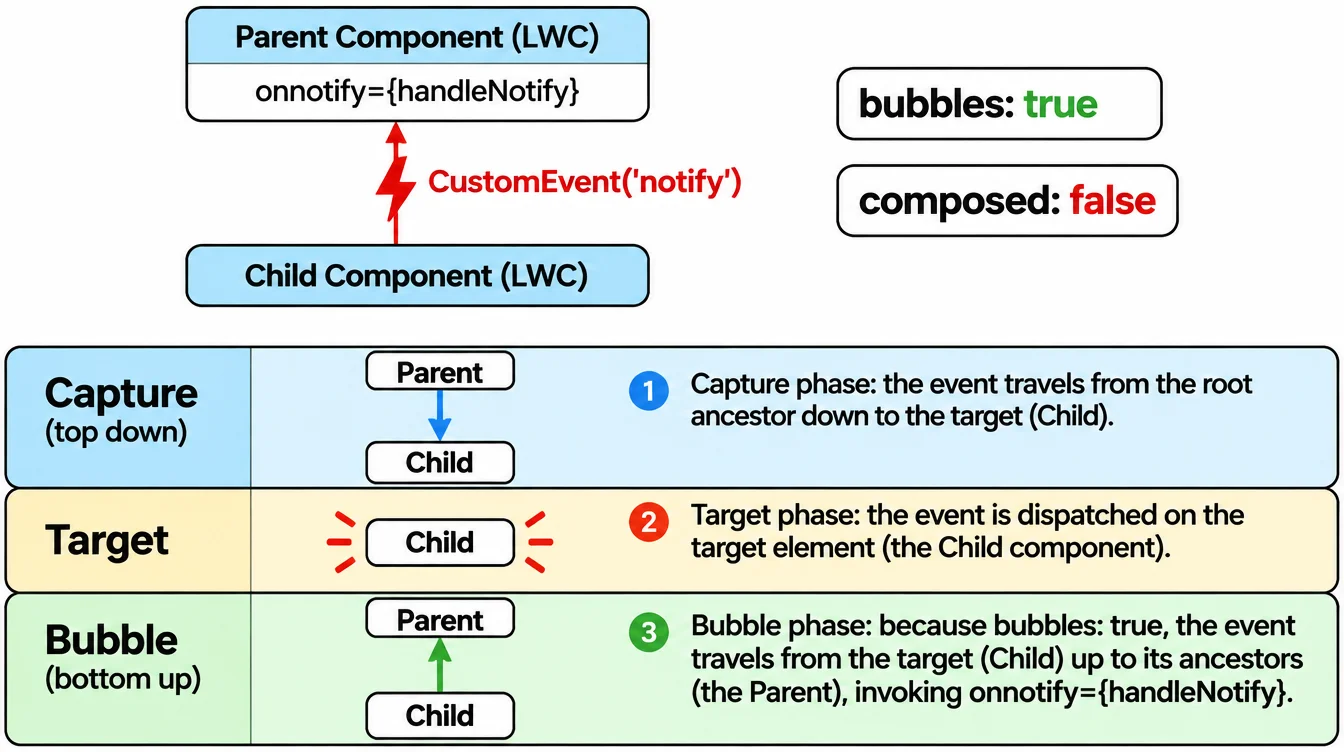
Creating and dispatching
Call this.dispatchEvent(new CustomEvent('notify')) from the child. The event name is lowercase with no hyphens. The parent listens with onnotify={handleNotify} in its template.
Send data along by setting detail: new CustomEvent('select', { detail: { id: this.recordId } }). The parent reads it from event.detail.id.
Bubbling and composed
bubbles: true lets the event travel up through parent containers, not just the direct parent. Without it the event stops at the first host element.
composed: true lets the event cross shadow DOM boundaries. Most component events should leave both false so the parent stays in control. Set them only when a grandparent or the app needs to hear the event.
Event phases
DOM events travel in three phases: capture (top down), target, and bubble (bottom up). LWC follows the same model as the browser.
Use addEventListener with { capture: true } only when you need to intercept an event before the target handles it. For most cases, the default bubble phase and an on-prefixed attribute are enough.
Example
javascript
// child component
export default class SearchInput extends LightningElement {
  handleChange(event) {
    this.dispatchEvent(
      new CustomEvent('search', {
        detail: { term: event.target.value },
      })
    );
  }
}

// parent template: <c-search-input onsearch={handleSearch}>