Meta XML
The .js-meta.xml file tells Salesforce where the component can appear and what properties an admin can set in Lightning App Builder.
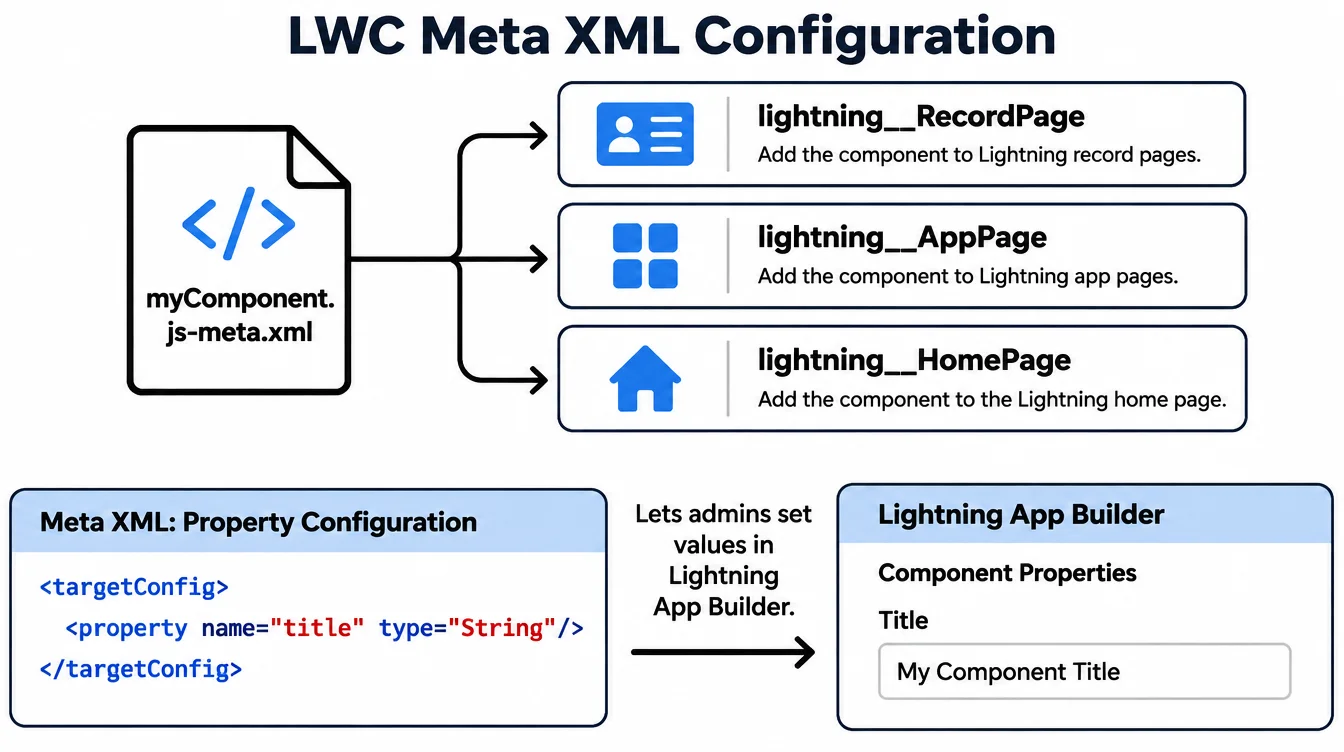
Targets
The <targets> element lists where the component can be placed. Common targets: lightning__RecordPage (record detail page), lightning__AppPage (app page), lightning__HomePage (home page), lightning__FlowScreen (screen flow).
If you skip a target, the component won't appear in the App Builder for that page type. Add only the ones you need.
Design attributes
Inside <targetConfigs>, add <property> elements for values an admin sets in App Builder without code. Each property has a name, type (String, Integer, Boolean), and an optional default.
The property name must match an @api field in the component. When the admin sets a value, it flows into that field at render time.
API version and exposure
<apiVersion> pins the component to a Salesforce API release. Keep it current to get the latest features and fixes.
<isExposed>true</isExposed> makes the component available in App Builder and managed packages. Without it, only other components can use it. Set a <masterLabel> and <description> so admins know what it does.
Example
html
<?xml version="1.0" encoding="UTF-8"?>
<LightningComponentBundle xmlns="http://soap.sforce.com/2006/04/metadata">
  <apiVersion>62.0</apiVersion>
  <isExposed>true</isExposed>
  <masterLabel>Account Summary</masterLabel>
  <description>Shows key account metrics.</description>
  <targets>
    <target>lightning__RecordPage</target>
    <target>lightning__AppPage</target>
  </targets>
  <targetConfigs>
    <targetConfig targets="lightning__RecordPage">
      <property name="showChart" type="Boolean" default="true" />
    </targetConfig>
  </targetConfigs>
</LightningComponentBundle>